Showing posts with label netezza. Show all posts

Friday, June 24, 2016

Copying Tables from Oracle to Netezza using Alteryx

Follow below steps to be able to create table along with its data from Oracle to Netezza.

Suppose we have employees table at Oracle database


Connect to Alteryx, use "Input Data" tool to read the employee table of Oracle
Fill the username, password, tns info to connect to your Oracle DB.

Test the connection, SQL.


Use "Output Data" tool in Alteryx and to connect to Netezza to create the table


Workflow looks as follows
output of workflow

@Netezza Side


Netezza Stored Procedure Sample

Below is the Sample code of Netezza

Create sample Table 

create table temp1 (col1 int);


create or replace procedure test_proc()
   returns character varying(any)
   language nzplsql as
begin_proc
begin
   insert into temp1 values (1);
   raise notice 'rows impacted-, %', row_count; -- To print messages to console
exception
   when others then
   raise exception 'Exception while running test_proc. Error Message is %', sqlerrm; -- To print error messages to console
end;
end_proc;


Testing


EXECUTE TEST_PROC();


Thursday, June 23, 2016

Comparing Table Data Between Oracle, Netezza (Two different Source Systems) using Alteryx

Suppose , we have a employee table exists at Oracle database as well as Netezza database.

Now, we wanted to compare the table data at these two sources.
We wanted to see,

  1. What are the records exists only @Oracle
  2. What are the records exists only @Netezza
  3. What are all the records exists in both Oracle, Netezza

Create a Alteryx workflow as follows

Use "Input Data" tool to read the data from employee table @Oracle
Use another "Input Data" tool to read the data from employee table @Netezza

Use "Joiner" tool to join the two sources

Use "Browse" tool to see the results


Saturday, June 18, 2016

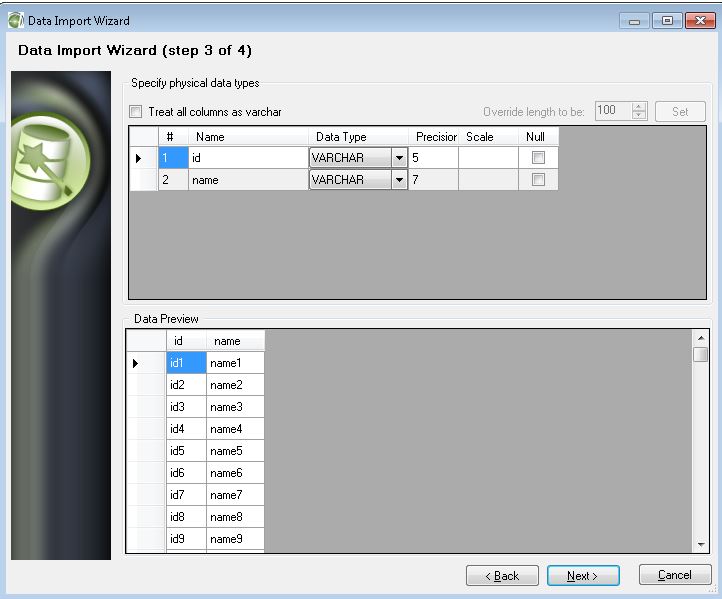
Excel File Data Load Into Netezza Table

Follow below steps to loa excel file into new table. These steps will create new table into Netezza table by loading data in the given excel file.


Sample File Data


Tuesday, June 14, 2016

Netezza JDBC Program

Netezza JDBC Program

Steps to connect to Netezza Database using Java (JDBC) program

Download the Netezza driver nzjdbc.jar

Connect to Eclipse and upload the nzjdbc.jar using "Build Path" as shown in below images


Java Class to connect to Netezza Database and read table data

---------------------------------------------------
package sample;

import java.sql.Connection;
import java.sql.DriverManager;
import java.sql.ResultSet;
import java.sql.SQLException;
import java.sql.Statement;

public class JdbcNetezzaConnection {

    public static void main(String[] args) {

        Connection conn1 = null;
        Statement statement = null;

        try {
            Class.forName("org.netezza.Driver");
            conn1 = DriverManager.getConnection("jdbc:netezza://servername/databasename", "username","password");
            if (conn1 != null) {
                System.out.println("Connected with connection #1");
            }
         // Create the statement to be used to get the results.
            statement = conn1.createStatement();
            // Create a query to use.
            String query = "select tablename, owner from _v_table where owner = 'ADMIN' limit 10";
            ResultSet resultSet = statement.executeQuery(query);

            System.out.println("Printing result...");
            while (resultSet.next()) {
             String tn = resultSet.getString("tablename");
             String opg = resultSet.getString("owner");
             System.out.println("\tablename: " + tn + ",  owner: " + opg );
         }

        } catch (ClassNotFoundException ex) {
            ex.printStackTrace();
        } catch (SQLException ex) {
            ex.printStackTrace();
        } finally {
            try {
                if (conn1 != null && !conn1.isClosed()) {
                    conn1.close();
                }
            } catch (SQLException ex) {
                ex.printStackTrace();
            }
        }
    }
}

----------------------------------------------------

Output of the above class


Output from Netezza Database